Using the software
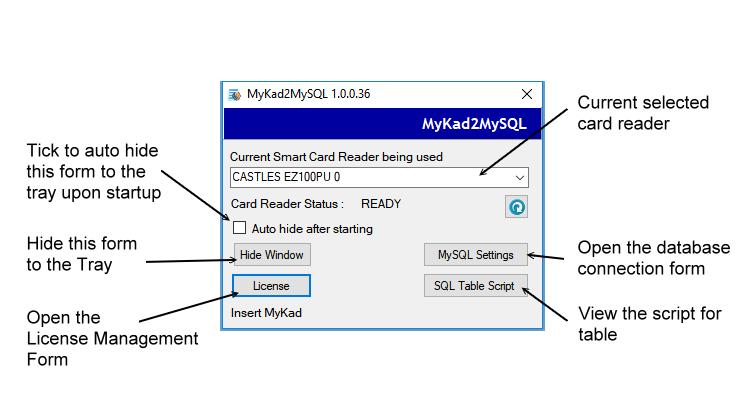
Once the database is connected and card reader is recognized, the software is ready to use.
Click the auto hide check box and hide the software in the tray. It will be minimized to and icon like below

Click on the icon to open the software settings again if required.
To use the software just insert a MyKad in the reader. The system will automatically read the card
and create an entry in you database. Use you software to database manager to access the database
and bring out the new record.